Good evening
Drop in a long video. Get back captioned, ready-to-post clips.
Paste a YouTube, Twitch, or Kick VOD/clip link
UploadDefaultCaptionsCleanup
SupoClip finds the moments worth posting in your videos, VODs, and uploads, reframes them to 9:16 with word-synced captions, and schedules them to YouTube Shorts.
Open source and self-hostable. Also on iPhone.
3Scheduled to YouTube
How it works
Features
Everything between the raw recording and a clip worth posting is handled for you, and still yours to tweak.
 face
faceFaces are tracked through every shot, so the vertical crop follows the speaker instead of cutting them off.
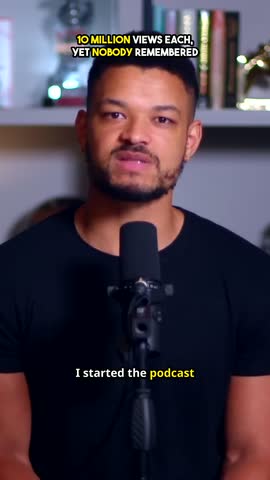
Captionsthatlandoneverysingleword
Word-level timestamps keep animated captions in lockstep with the voice.
Every moment is rated for hook, engagement, value, and shareability, out of 100.
A short AI-written title sits at the top for the first seconds to stop the scroll.
Animation styles, font presets, and your own fonts keep every clip on brand.
One-click encodes for Shorts, TikTok, and Reels, with stock B-roll when a clip needs it.
Editor
Every clip opens in a studio made for short-form. Cut, fix a word, restyle captions, reframe, and export without leaving SupoClip.
Generation / Clip 1
Publishing every Monday grew listeners 10x
Preview
Timeline 2 segments · 0:55
Split at playheadCaption style
Font
MontserratTranscriptEdit script
This preview works. Click the tabs, switch the framing, drag the sliders.
Trim on a thumbnail and waveform timeline, split at the playhead, then reorder, duplicate, or drop segments. Every cut stays reversible.
Fix a misheard word without touching its timing, or rewrite the script and keep the rest in sync.
Fonts, colors, size, position, and the active-word highlight. Save a style and apply it to every clip.
Drag to keep the subject in frame, zoom in, and switch between vertical, square, or the original format.
Set the volume or mute, and adjust brightness, contrast, saturation, blur, and hue while captions stay crisp.
Pick two or more clips and merge them into a new one. The originals stay as they are.
Autosave, undo and redo, and keyboard shortcuts. Generated clips are never overwritten.
TikTok, Reels, and Shorts presets. Render in your browser or in the background, one clip or all of them.
New: publishing
Connect your YouTube channel and every clip can go out on its own schedule. Pick a time, review the AI-drafted title, and SupoClip posts it for you.
This week
9:00 AM
6:00 PM
12:30 PM
6:00 PM
Soon
9:00 AM
Soon
5:30 PM
Line up a week of clips in one sitting. Each one goes out on time, even with your laptop closed.
AI writes a first draft from the transcript. Edit it, or post it as is.
Views flow back into SupoClip, so future picks lean toward what performs on your channel.
Scheduling is included in Creator. Publishing right away works on Pro.
Pricing
Free to self-host. Hosted plans start at $9.99/month, with processing and hosting handled for you. Change or cancel anytime.
Run on your own computer. No subscription or monthly video limit.
Setup required. You provide the hardware and any paid AI services you choose.
Self-hosting guideView on GitHubFor creators who clip consistently each month.
For creators publishing every day.
Each video becomes as many clips as it has good moments.
Self-hosting? All features are free and unlimited. See the self-hosting guide.
FAQ
The short version of what people ask before they start clipping.
YouTube videos, Twitch and Kick VODs or clips, and files you upload yourself. Paste a link or drag in a recording, and SupoClip takes it from there.
It transcribes the video word by word, then an AI model reads the whole transcript and picks moments that stand on their own. Each one is scored for hook, engagement, value, and shareability, and you can trim, split, or merge any clip afterwards.
Plans are measured in minutes of source video, not in clips. Pro includes 10 hours a month and Creator 25 hours. A 30-minute video uses 30 minutes, however many clips come out of it. Allowances reset every month, on yearly plans too.
Today you can publish straight to YouTube Shorts: right away on Pro, or on a schedule with Creator. TikTok and Instagram are coming soon. Until then, download clips with the TikTok and Reels export presets and upload them yourself.
No. SupoClip never adds a watermark, on hosted plans or when you self-host.
Yes. The spoken language is detected automatically, so transcripts, captions, and clip picks follow the language of the video.
Yes. SupoClip is open source under AGPL-3.0 and runs with Docker Compose on your own machine. You only pay for the transcription and AI providers you choose, if any.
Yes. Change or cancel your plan from settings whenever you like. If you subscribed in the iPhone app, manage it through the App Store.
AGPL-3.0 licensed
Fully open source. Self-host on your infrastructure, contribute features, or fork it and make it yours.
$ git clone https://github.com/FujiwaraChoki/supoclip
$ cd supoclip && cp .env.example .env
# add a transcription + LLM provider to .env
$ docker compose up -d --build
✓ SupoClip is running on localhost:3107
Guides and comparisons
Practical, source-backed pages for choosing a video clipper, self-hosting SupoClip, and turning long recordings into short-form content.
Paste a link and see what SupoClip finds. Use the hosted app, or self-host the open-source version for free.